


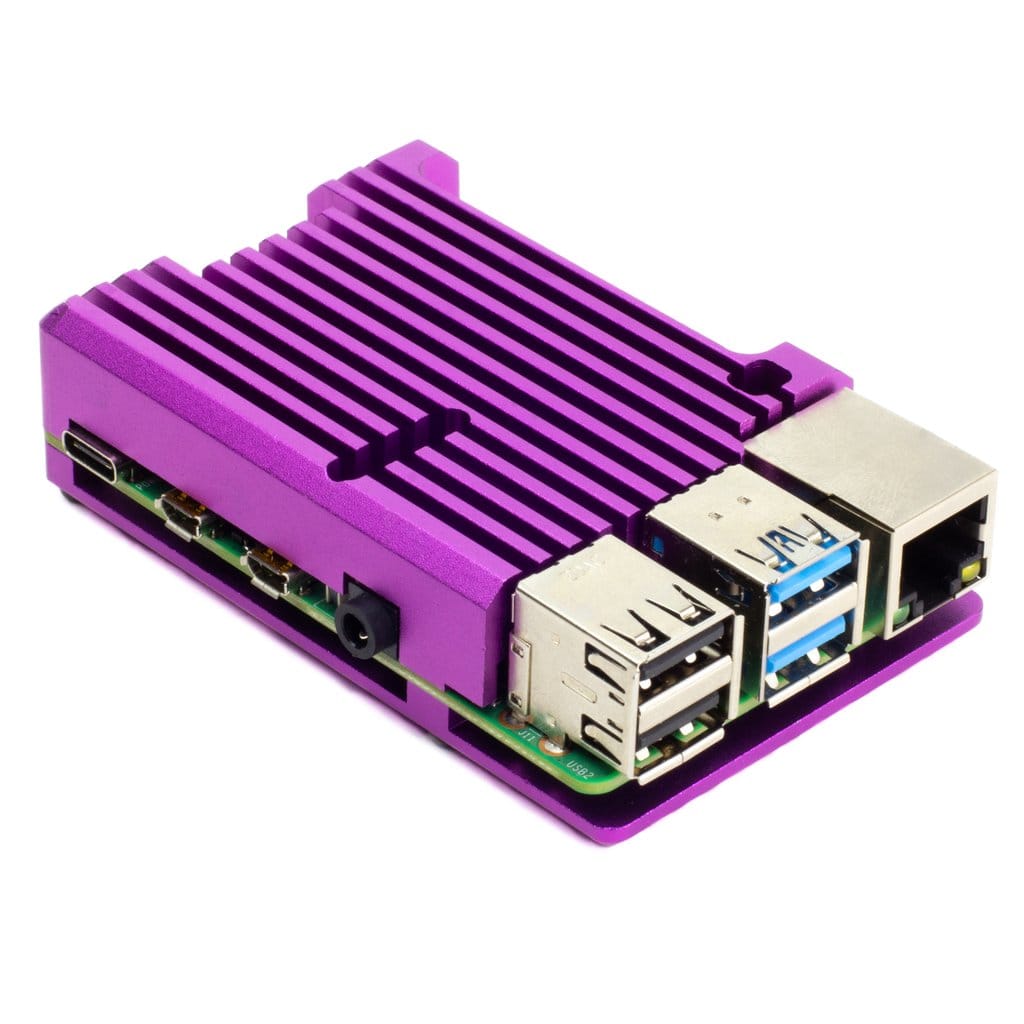


Purple Aluminum Case/Heatsink for Pi 4
13,69€
Only 1 left in stock

 Do you have any further questions?
 Tanzanite Purple Aluminum Case/Heatsink for Raspberry Pi 4
This exceptionally stylish purple case offers the great advantage of incorporating the features of a heat sink. This anodised aluminium case for the Raspberry Pi 4 ensures passive cooling of 10–15°C under full CPU load.
Furthermore, not only will it protect your Raspberry Pi 4 board, but it will also provide you with the best passive cooling, as confirmed by numerous and extensive tests. It is the ideal heat sink case if you want completely silent cooling.
It comes with a thermal pad to ensure thermal contact between the CPU and the top of the case, as well as a very useful Allen key and a set of hex screws for mounting the case.
This heat sink case allows you to access all the ports, connectors and pins on the RPI 4. Furthermore, you can also use HATs and pHATs, provided they have a slim profile (i.e. those without bulky components on the underside), and by using a header booster – provided you take great care not to short-circuit any components on the metal top of the case.
Purple Aluminum Case/Heatsink for Pi 4 features
- Anodized aluminum case top and base.
- Tanzanite Purple colour
- Heatsink fins.
- Thermal pad.
- Hex key (Allen key) and hex head screw set included.
- Access to all ports, connectors, and pins on the RPI.
- Compatible with Raspberry Pi 4.
Raspberry Pi 4 board not included. It can be purchased separately.
How to assemble the anodised aluminium heat sink case
It takes just 2 minutes to assemble this case, as it is very straightforward. However, you must ensure that your RPI 4 is switched off and unplugged before fitting the case.
Remove the protective films from both sides of the thermal pad. On one side you’ll find a white film, whilst on the other side the film is transparent and easy to overlook. Now, attach the thermal pad to the CPU of your RPI 4 (i.e. the metal square closest to the centre of the PCB), as shown in the images below.
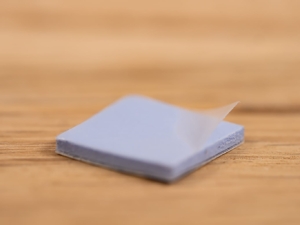
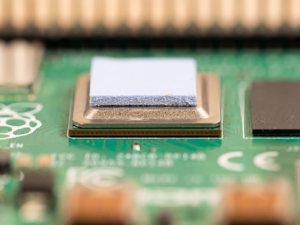
Bear in mind that if you attach the thermal pad to the CPU first and then to the case, it will be much easier to position it correctly. Use only one thermal pad with the Raspberry Pi 4.
Place the top of the case in position and then, holding it firmly, turn the whole assembly upside down and place the bottom of the case onto the underside of your Raspberry Pi 4. You can now use the four hex screws and the Allen key to secure the case.
Notes
- As the case is made of metal, it is a good conductor, so you must be careful to avoid any short circuits with other components. Make sure your RPI 4 is switched off and unplugged when you fit it into the case.
- Remember that the case will, of course, get hot when in use.
- Raspberry Pi 4 board not included. It can be purchased separately.
- Product dimensions: 87 x 56 x 25.5 mm
Pimoroni name: Aluminium Heatsink Case for Raspberry Pi 4 – Tanzanite Purple [COM3103]
Show only reviews in English (0)
You must be logged in to post a review.
-
16,76€
Argon NEO Case for Raspberry Pi 4
-
7,32€
Argon POLY+ Case for Raspberry Pi 4
-
13,69€
Aluminium Heatsink Case for Pi 4 – Blue
-
15,43€
Pibow 3 B+ Rainbow Case
-
2,88€
Heatsink for Raspberry Pi Zero W
-
4,63€
OmniVESA Panel
-
Original price was: 19,90€.13,93€Current price is: 13,93€.
SmartiPi Case for Pi 2 and B+
-
12,94€
Case for Raspberry Pi 1 B+ / 2 / 3


-
10,94€
Alimentatore USB-C bianco RPI 4 – EU
-
13,31€
Alimentatore USB-C nero RPI 4 – EU
-
46,38€
RasPiKEY: SD Plug&Play eMMC – 32GB
-
35,59€
RasPiKEY: SD Plug&Play eMMC 16GB
-
5,88€
Official Raspberry Pi A+ Case
-
6,13€
Official black/grey case for Pi 4 B
-
6,42€
Official red/white case for Pi 4 B
-
7,79€
Pibow 3 A+ Tangerine Case for Pi 3 A+




 5% discount on every order reviewed!
 Raspberry Pi IN STOCK!

Reviews
There are no reviews yet.