




Relay board for micro:bit
11,12€
In stock

 Do you have any further questions?
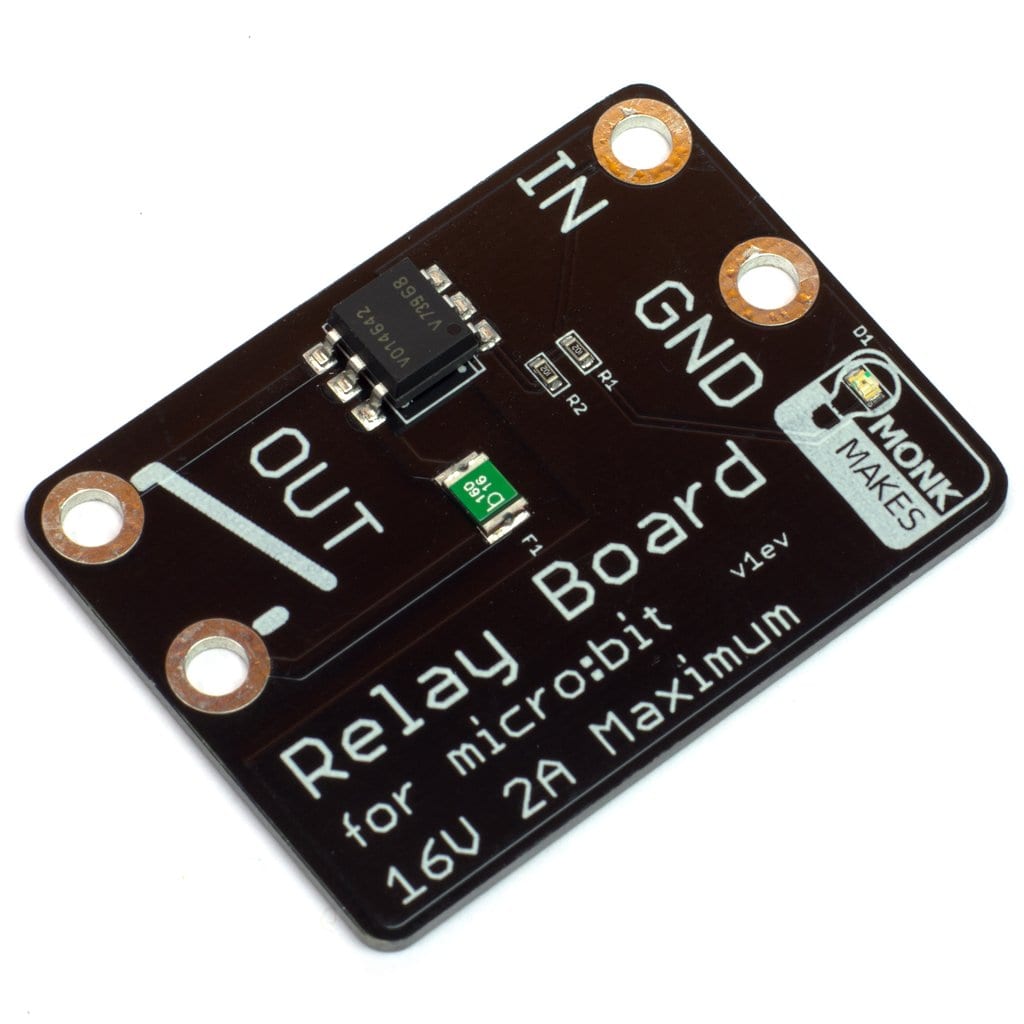
 Relay BOARD for micro:bit : Relay without moving parts
The MonkMakes Relay board for micro:bit is actually a fantastic solid-state (without moving parts) relay. It allows an output of a micro:bit to simply turn on and off whatever you want.
A micro:bit can directly turn an LED on and off, more powerful things though, need something like a relay or a transistor. If and when you use a transistor to switch something on and off, it is necessary to have a shared ground connection with the micro:bit and a high level of knowledge electronics. This MonkMakes Relay for micro:bit can definitely be used very easily as it works like a simple micro:bit controlled switch.
You can use this relay to switch plenty of low voltage devices like light bulbs, a small heating element, a motor or even a string of 12V LED lighting. Although you need to keep the voltage under 16V, the relay will protect itself automatically in case of too much current.

Relay for micro:bit features are:
- Solid-state relay (up to 2 Amps)
- Active LED indicator
- Resettable “polyfuse” to protect against over-current
- version v1fv
How to Get Started with your new Relay for Micro:bit
How to Connect your Relay to the micro:bitCome connettere il tuo Relay al micro:bit
This Relay for micro:bit needs only two connections to the micro:bit. One to GND (ground) and one to any pin you are using for the control of the switching action of the relay.
When you attach the alligator clips to the micro:bit, the clips must be perpendicular to the board and must not touch any connectors on the micro:Bit edge connector.
Below is an example of how you to wire up a MonkMakes Relay for micro:bit and turn on and off an old fashioned light bulb.

HEX File: program that turns the relay on and off
If you want to try your relay the fastest way, DOWNLOAD THIS HEX FILE, once it is downloaded, copy it onto your micro:bit. Such program will turn on and off the relay once a second.
JavaScript Blocks Editor
When you set the controlling pin to 1, the relay contacts will close, if you set it to 0, the contacts will open again. Very simple. Then, if you want your relay to turn on and off once a second, do as follow:
- open this JavaScript Blocks Editor,
- add a forever block,
- add the digital write blocks from the pins category, and
- add the pauses from the basic category.
To open the Blocks Editor up on this project, simply click on image of the blocks that you find below.

MicroPython code to copy onto your micro:bit
Into the above mentioned Blocks Editor (which is also a Python window), put the code below and then Download the file and copy it onto your micro:bit.
from microbit import *
while True:
pin0.write_digital(True)
sleep(500)
pin0.write_digital(False)
sleep(500)
Show only reviews in English (0)
You must be logged in to post a review.
-
40,67€
Automation HAT
-
6,72€
Estensimetro: Cella di carico da 10 Kg
-
6,72€
Estensimetro: Cella di carico da 1 Kg
-
9,76€
Convertitore analogico-digitale NAU7802 a 24 bit
-
8,40€
Caricabatteria per LiIon o LiPo BFF Add-On per QT Py
-
4,88€
Hub a 5 porte Qwiic / Stemma QT
-
34,35€
AmpRipper 3000 Alimentatore LiPo 3A
-
21,49€
Weatherproof enclosure for Outdoor Sensors


-
7,10€
Breadboard con 400 punti
-
6,46€
Cavi con clip coccodrillo a jumper (Dupont) femmina (6 pz)
-
6,46€
Cavi con mini clip coccodrillo (12 pz)
-
3,25€
Mini Breadboard nera
-
6,46€
Mini LED Breakout Sequins Blu (5 pz)
-
6,46€
Cavi con clip coccodrillo a jumper (Dupont) maschio (6 pz)
-
1,84€
Mini aluminium heatsink -13x13x3mm
-
1,84€
Connettore sottile Micro USB maschio tipo B – DiY




 5% discount on every order reviewed!
 Raspberry Pi IN STOCK!

Reviews
There are no reviews yet.